How to make Voicemod not sound staticy?
To make Voicemod sound less staticy, you can try these things:
Adjusting the settings, disabling noise reduction, or changing your microphone sensitivity.
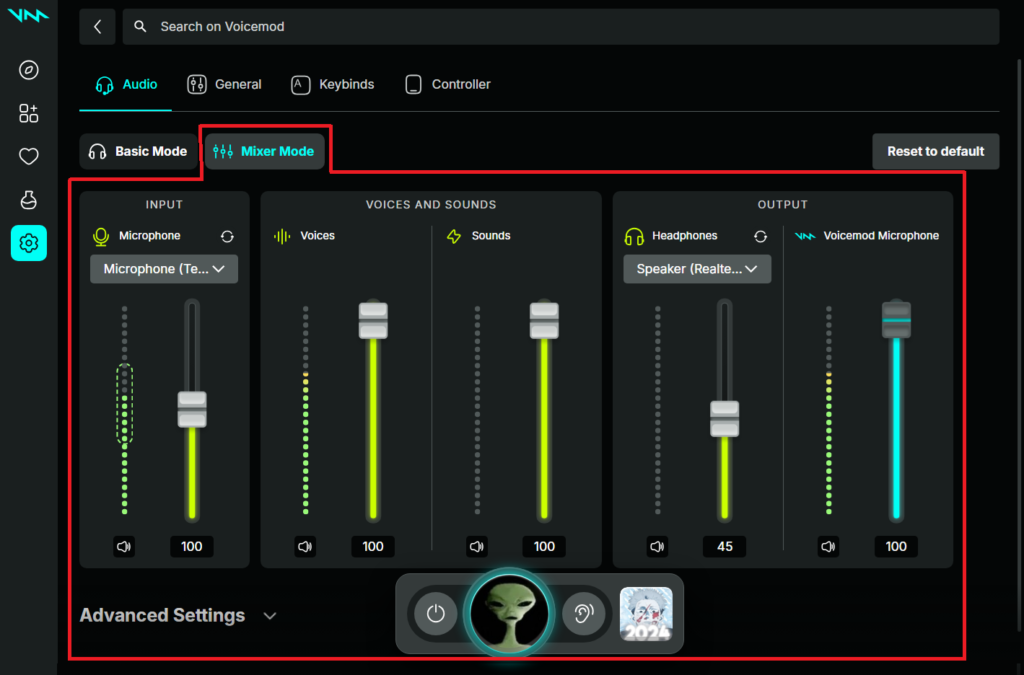
Adjust Settings : Go to Settings, Select Audio, Select Advanced Audio Settings and Enable the Eliminate Popping toggle.
Disable Noise Reduction : Go to Settings, Select Voice & audio, Select Advanced, Disable all options, and Set Standard as the audio subsystem.
Change Microphone Sensitivity: Go to Settings and Adjust the microphone sensitivity or the volume of your speakers.
You can also try adjusting the noise gate in the Voice Enhancer menu.